
How To Turn Canva into a Content Powerhouse
I was wrong about Canva.
For years, I dismissed Canva as an unserious design tool. I understood its value in making design accessible but, for me, accessibility was besides the point. I am an expert, I used Adobe Creative Cloud. As a nonprofit marketing consultant, organizations hire me to use my streamlined processes, work my magic in professional tools, and hand over the deliverables. So I dismissed Canva with professional pride—and completely missed what Canva has actually been building.
We can email this article to you for later.
Canva didn't just democratize design.
I think of Adobe as the toolset for experts—in the hands of few. Canva, on the other hand, is design to be accessible to the entire organizations—in the hands of all. What this means is: instead of one person handing down finished designs, Canva made it possible for the Development Director to pull together donor presentations, for Program Managers to create social posts, for Executive Directors to design board reports—all while maintaining visual consistency and brand standards. Canva didn't just democratize design; they reimagined how communications functions within an organization when everyone needs to be able to tell the story.
Canva gave nonprofits a gift.
You can see Canva's product strategy at work in their pricing. What is Canva Pro free for nonprofits up to 50 seats? How many organizations have 50 designers or content creators? The reason for the high seats is because Canva is not a tool for the expert but for everyone in the organization. Then, Canva shook up the entire design world with their aquisition of Adobe competitor Affinity—and then turned around and made Affinity free—for everyone! For nonprofits specifically, Canva just handed over a free set of professional tools that remain accessible to the entire organization. This is a major opportunity.
What should nonprofits do about it?
Now that Canva offers both professional tools and organization-wide accessibility, nonprofits have a chance to build durable systems that make communications more efficient and effective. So I set out to discover what that system should look like collaboration with 5 education nonprofits in NYC. We refined months of experimentation into an approach that we simple but also robust—building a Storybank inside Canva. A Canva Storybank is centralized, efficient impact communication system that empowers your communications team while giving the entire organization structured access to tell your impact story.
Build a Canva Storybank.
A Canva Storybank is a centralized repository of your organization's most powerful stories, key messages, and branded design assets, organized and ready to use. Instead of scattered testimonials in old emails or perfect quotes buried in last year's annual report, you have everything in one place—interview clips, compelling quotes, success stories, key messages, and visual assets—all tagged, searchable, and optimized for different audiences.
Think of it as your content workshop: when someone needs to create content, they don't start with a blank page. They start with authentic stories from people whose lives you've changed, plus all the design elements needed to tell those stories professionally.
Build one step at at time
Step 1: Collect Stories
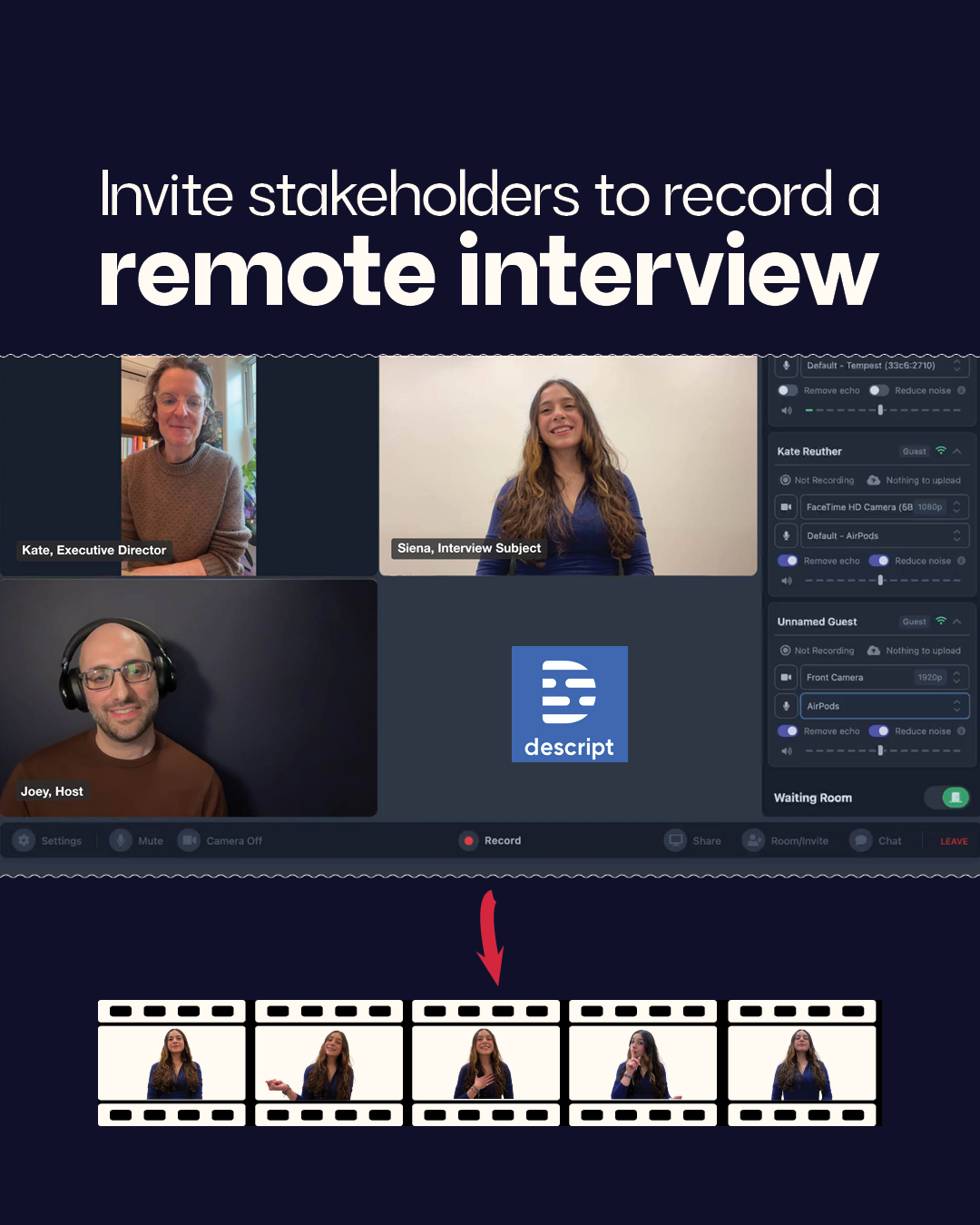
Invite program alumni, donors, board members, staff, and partners to share their story.
Use free or low-cost tools like Zoom or Descript to record 30-45 minute conversations
Capture authentic stories about your organization's real impact.
Step 2: Create Story Clips
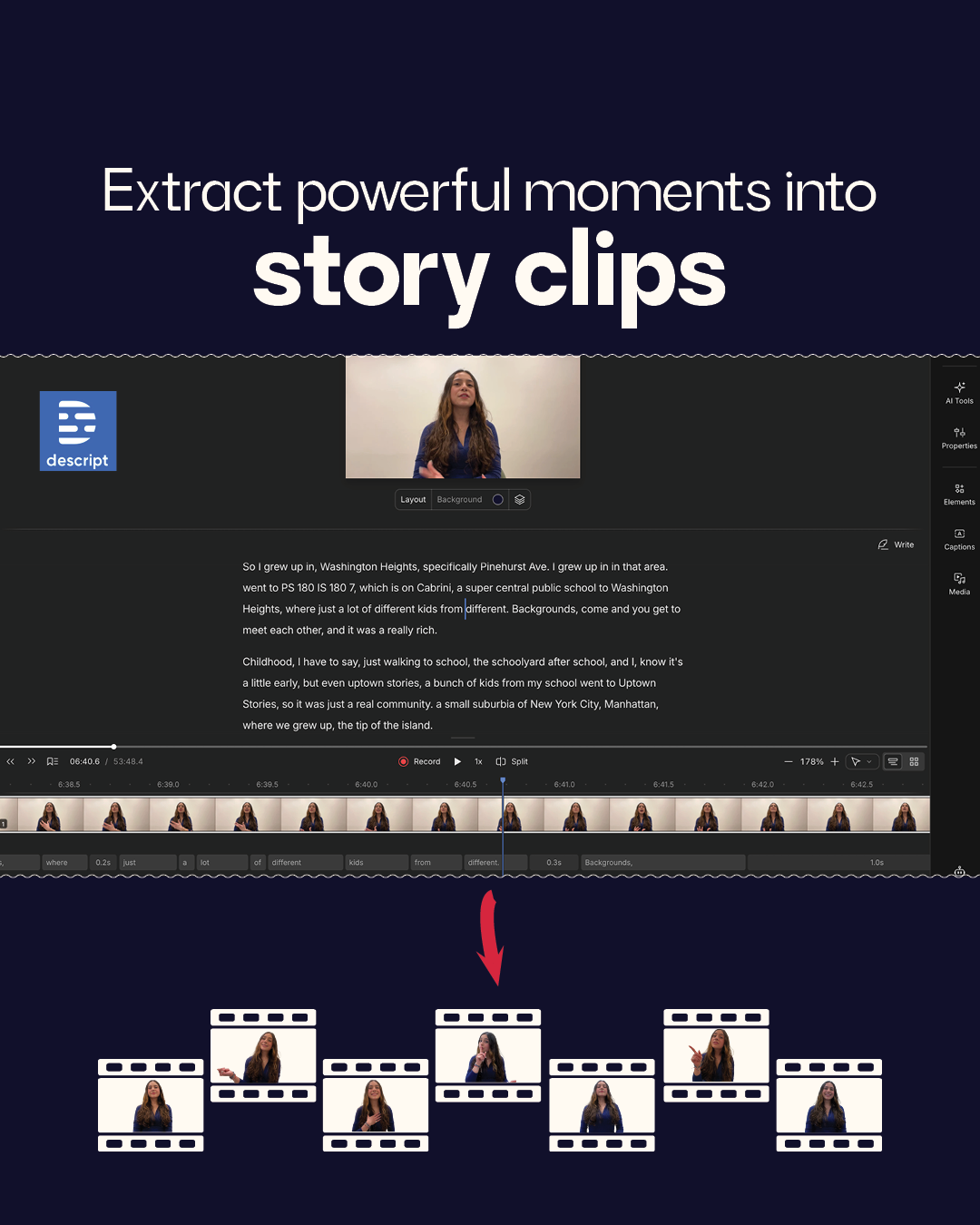
Using text-based video editing, analyze interviews and extract twenty powerful story clips (30-90 seconds each). These are carefully chosen moments that speak to your core impact themes. Descript makes creating these clips as easy as editing a Google Doc.
Step 3: Extract Story Elements
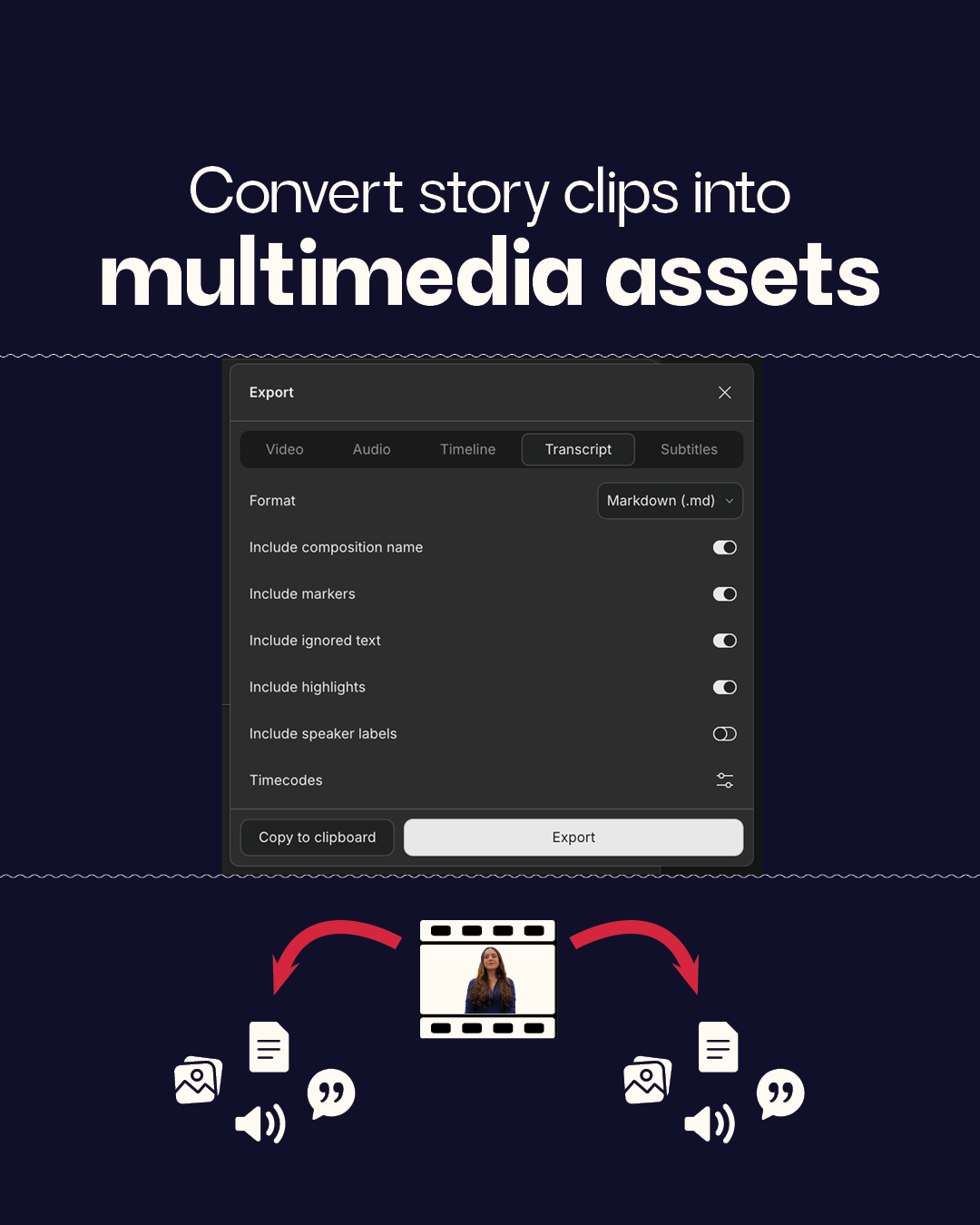
Pull audio, images, quotes, and key messages from clips. You can also drop interview transcripts into your AI of choice to generate ideas grounded in authentic stories from your community. (Keep a running list of ideas in your Canva Storybank!)
Step 4: Organize Everything in Canva
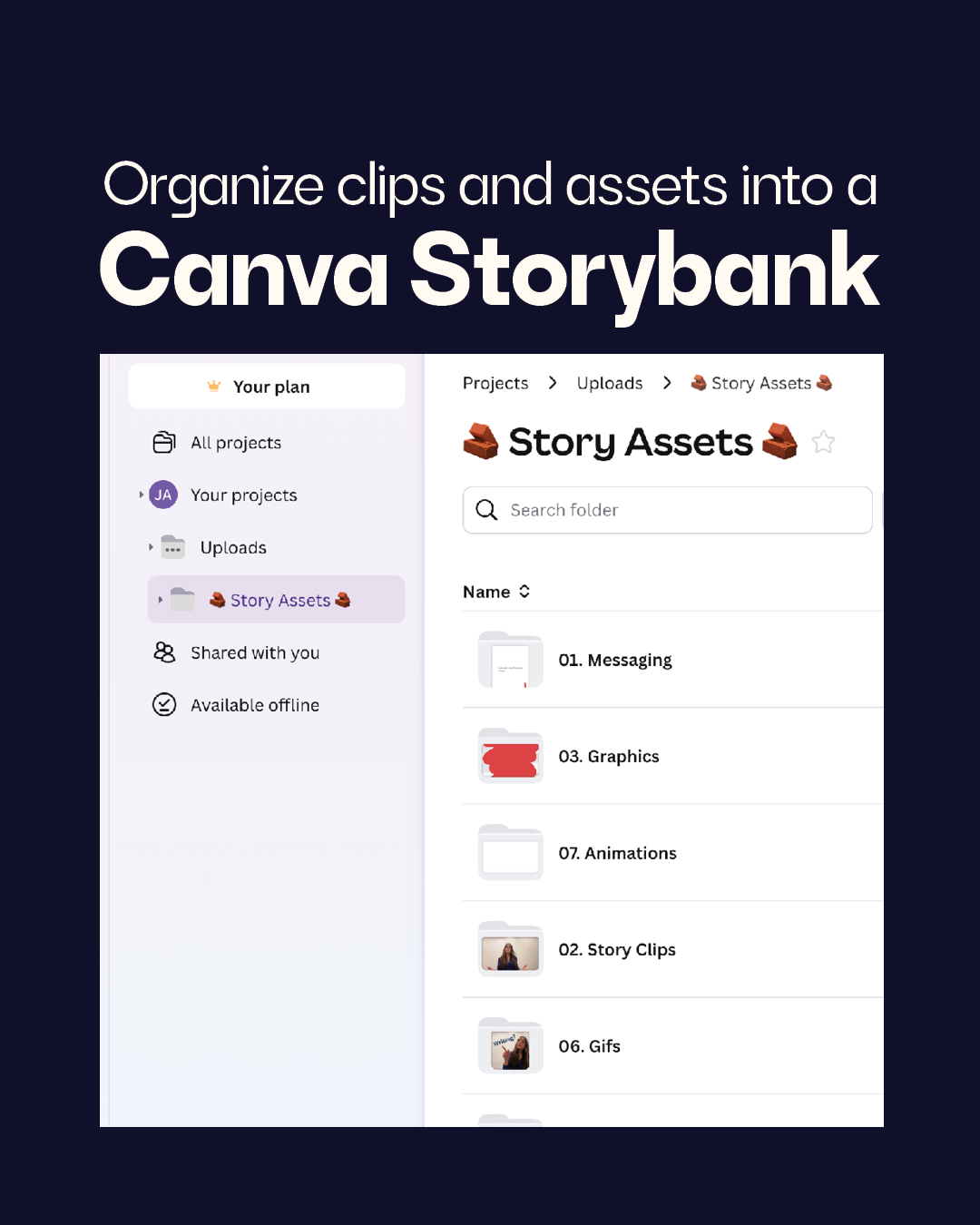
Migrate story clips, story elements, and existing brand elements into a structured Canva folder system. Your uploads folder becomes a communications workshop brimming with useful parts.
Step 5: Onboard Your Colleagues
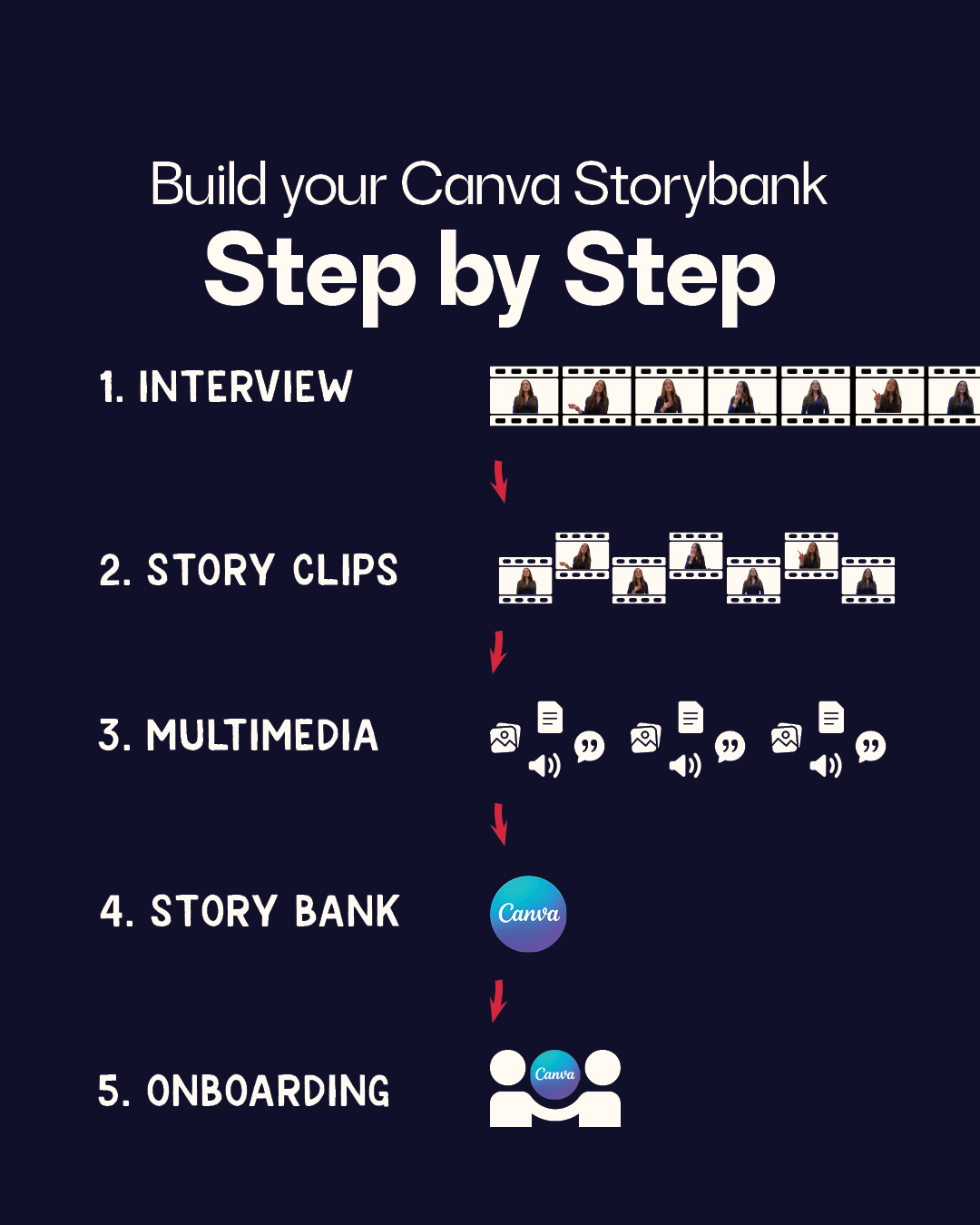
Develop internal buy-in from Step 1 on by educating your colleagues and tapping them for ideas. By Step 5, you should establish a version control system (locked designs and elements), and create dedicated folders for versioned designs.
This doesn’t mean everyone is a designer.
This isn't about turning Development Directors into a graphic designer. A Canva StoryBank makes communications teams more effective, while protecting your bandwidth for strategy work—and the chance to truly take a break.
Instead of fielding constant requests for "just a quick social post" or scrambling to find that perfect quote, Communications becomes the curator of a rich content library. Other departments access pre-approved story clips, quotes, and visual elements—within guardrails you establish.
Version control and access permissions let a Program Manager pull alumni success stories for presentations without accidentally editing master templates. Your Development team grabs compelling donor quotes while core messaging stays locked and consistent.
Transform how your organization tells its story.
A Canva Storybank transforms how your organization communicates within and without:
Community voices drive your messaging, ensuring authenticity
Your team builds capacity to communicate impact effectively
Potential beneficiaries can find you through increased visibility
Donors get consistent, compelling narratives that demonstrate real impact
The Result?
Instead of starting with blank Canva templates, team members open organized folders filled with real stories, professional assets, and proven messaging—all ready to adapt for their specific audience and channel.
That's the future I missed when I was too busy being the expert in the room. Sometimes the most revolutionary thing isn't building better tools for specialists—it's building better systems for everyone.